
Search Green County Court Docket
Green County Court Docket searches are built around the WCCA portal and the Green County Justice Center. That combination gives you an online path for quick review and a local office for copies or follow-up. Green County has a modern courthouse setting in Monroe, so the docket search is usually easy to start and still worth confirming with the clerk when you need a paper record. If your question is basic case status, the portal is often enough. If your question is about the actual document, you will still need the county office to finish the job.
Green County Court Docket Search
Begin with Wisconsin Circuit Court Access. The portal lets you search public circuit court docket information by case number, party name, business name, or attorney name. For Green County, that means you can quickly spot the right case before you ask for a copy or visit the clerk. The docket view is especially useful when you are trying to match a notice, check a hearing date, or verify whether a matter is open or closed. It gives you the case trail in a single place.
WCCA is still only the public docket view. It does not give you every document in the file, and it may not reflect the most recent filing instantly. That matters in Green County because a brand-new motion, order, or amended entry may not appear right away. The portal is great for orientation. The clerk office is where you go when you need the actual page or a status confirmation that is more specific than the online line items. Using both keeps the search clean and avoids unnecessary guesswork.
Because Green County is part of the statewide CCAP framework, the search pattern is the same as it is in other counties. That consistency helps if you are comparing Green County to a neighboring circuit or checking whether a case moved from one county to another. The online docket, the county office, and the state retention rules all fit into one workflow. Once you understand that structure, the search becomes much easier to manage.
Green County Records
The county legal resources page from the Wisconsin State Law Library is the local reference point: Green County Legal Resources. It is a useful fallback when you want a county-specific starting page instead of a statewide system. The Green County Justice Center at 2841 6th Street in Monroe is the courthouse hub, and the local research highlights that it is a modern court facility with multiple courtrooms. That tells you the clerk office is used to handling routine docket questions, copy requests, and case-status follow-up.
Green County’s records story has one detail that stands out: the fee schedule is more detailed than in many of the other counties. The research notes a background search fee of $5 per name, copies at $1.25 per page, certified copies at $5 per document, and exemplified copies at $15 plus copies. That means you should know what kind of document you need before you ask. A plain docket printout is one thing. A certified record for another office is another. An exemplified record is a step beyond that. Green County’s office can handle the path, but the request has to match the document.
The Director of State Courts office still matters here because it is part of the shared system behind the docket and record rules. Green County does not run on a separate island. It follows the same state structure for public access, retention, and electronic record handling. That is why the local office and the statewide portal feel familiar once you know how Wisconsin court records work.
Image source: Green County Legal Resources.
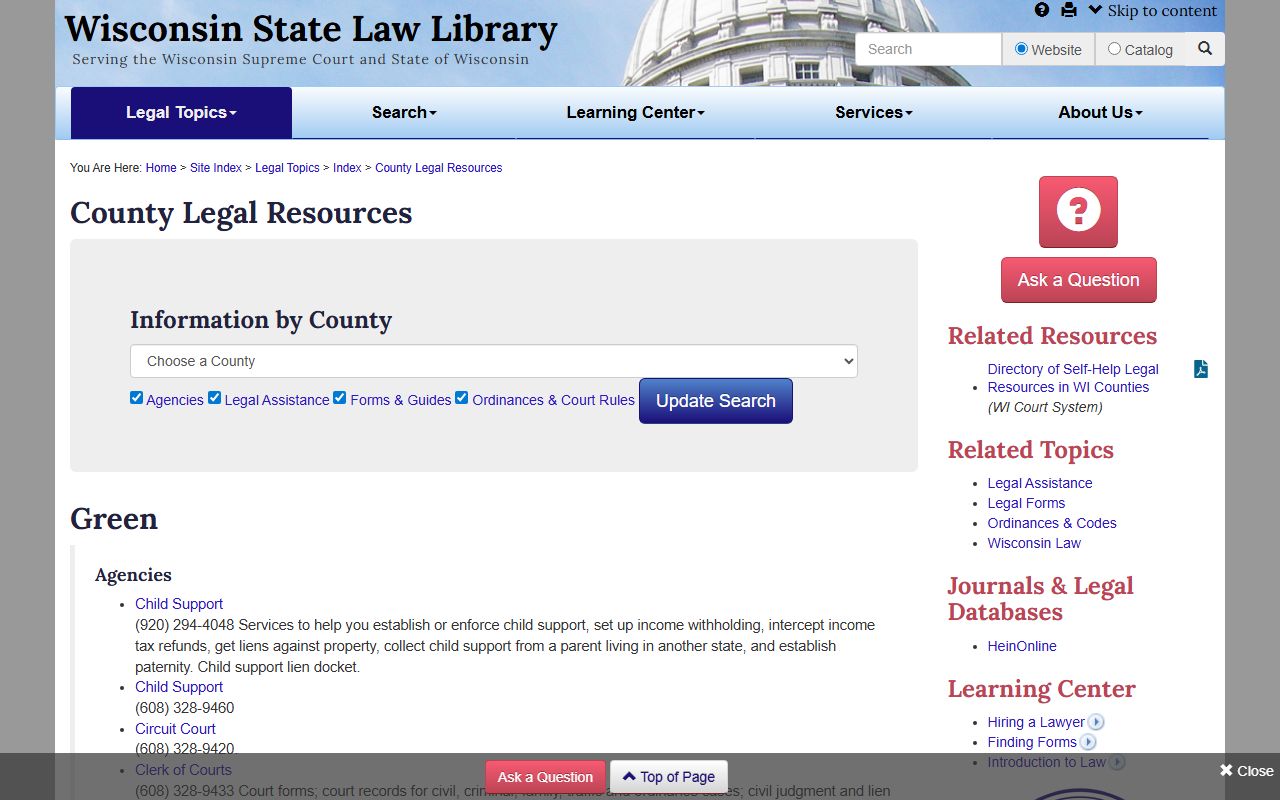
The image links back to the county legal resource page, which is a practical starting point for users who want the local courthouse context before jumping into WCCA or a records request.
Green County Court Docket Copies
Copies in Green County follow the statewide Wisconsin fee rules in Wis. Stat. § 814.61. The statute sets the common price structure for copies and certified documents, while the county research adds the Green County-specific background search, certified copy, and exemplified copy detail. That helps you plan the request before you arrive. If you need a single certified order, ask for that. If you need the whole file, say so. The clerk can only charge and copy what the request actually covers.
Requesting records is easier when you are precise. Use names, case numbers, filing dates, and document titles whenever you can. Green County can handle public docket questions through the online system, but paper copies still need a real request. If the search has to be done without a case number, a name-based lookup may trigger the search fee. That is one reason it is worth checking the docket first. The online view gets you close, and the clerk can then finish the copy work.
Because Green County has a full courthouse setting rather than a stand-alone records counter, you should think in terms of office workflow, not just online search. The docket tells you what happened. The office gives you what you can hold. Those are related, but not identical, tasks. If you keep them separate, the request is faster and the answer is clearer.
Open Records and Retention
The statewide open records policy in Wis. Stat. § 19.31 explains why so much Green County Court Docket information can be searched in the first place. Access is supposed to be broad unless a legal reason says otherwise. That is why public docket data is easy to inspect, even though some case types remain restricted. Juvenile files, sealed matters, and other confidential records are still limited, so a Green County search can be public at the docket level and private at the document level.
Wisconsin Supreme Court Rule 72 gives you the record-retention side of the same system. Clerks keep records according to approved schedules, and those schedules vary by case type. For Green County users, that means an older docket can still exist even if the paper file moved to archive. The rule also allows electronic records with proper backup and security, which is one reason the public can search a case online even when the file itself is not sitting at the counter.
That interaction between access and retention is the part people miss most often. A docket entry tells you the court acted. The retention rule tells you how long the record remains available and how it may be stored. If a case is old, you may need a formal request rather than just an online search. If a file is restricted, the clerk can confirm the limit without changing the law. The rules are stable, even when the file location is not.
Note: Green County’s fee schedule is more layered than many counties, so it helps to ask whether you need a plain copy, a certified copy, or an exemplified record before the clerk starts the work.
Green County Court Docket Help
Green County Court Docket questions can lead beyond the courthouse record itself. If the issue is criminal defense and the person qualifies for appointed counsel, the Wisconsin State Public Defender is the statewide legal office to know. That office is about representation, not record lookup. If the question is criminal history data, the Wisconsin Department of Justice Crime Information Bureau is a separate statewide tool. It is not the same as the circuit docket, so it should be used for a different purpose.
The clerk of courts still handles the local file, and the county legal resources page gives you the local reference trail when you need to find the right office or the right public record path. That is the practical approach in Green County: search the docket online, confirm the office, then decide whether you need a copy, a certification, or a separate legal resource. It is a simple sequence, but it saves a lot of unnecessary backtracking.
If you keep the search, the copy request, and the legal question separate, Green County court work stays straightforward. The county page helps you start locally, the state court site helps you search broadly, and the clerk office finishes the records step.